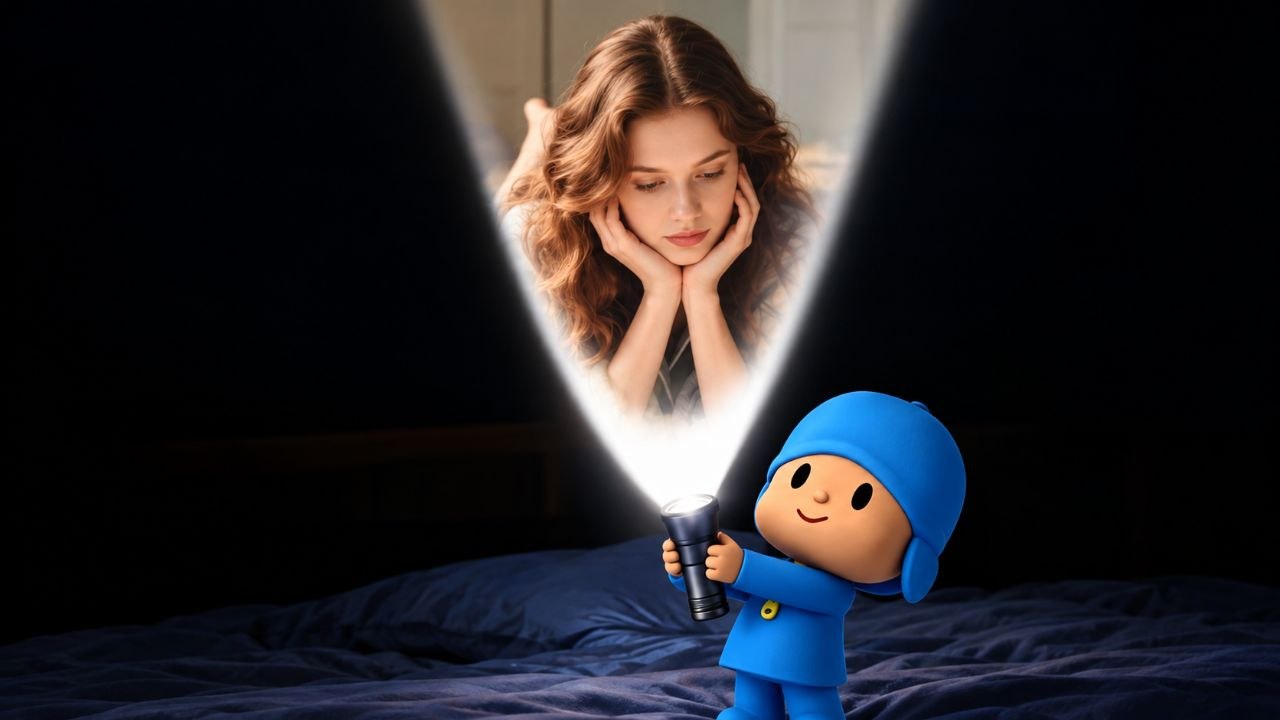
If you've been scrolling through Instagram Reels or YouTube Shorts recently, you've probably seen it: a cute, 3D animated character holding a flashlight that magically projects a beautiful photo onto the screen. It looks incredibly aesthetic, highly personalized, and completely transforms a boring lock screen into something futuristic.
Everyone is asking, "How do I get this live wallpaper on my phone?" Good news—it's much easier than you think, and today we are going to show you exactly how to do it step-by-step.
Why is the Flashlight Projection Wallpaper Going Viral?
Standard static wallpapers are a thing of the past. Users today want their home screens to reflect their personality dynamically. This specific 3D flashlight wallpaper stands out because:
- Interactive Illusion: The dark background mixed with the bright "flashlight" effect creates a stunning optical illusion on OLED and AMOLED screens.
- Personalized Touch: You can often edit the template to project a photo of yourself, your partner, or your favorite celebrity.
- Battery Friendly: Since a large portion of the wallpaper is pure black, it actually saves battery on modern smartphone displays!
How to Apply This Live Wallpaper on Android
Setting a video as your lock screen on Android is very straightforward. Follow these quick steps:
- Download the Video: Scroll down to the bottom of this page and click the download button to save the high-quality MP4 file to your gallery.
- Open Your Gallery App: Locate the downloaded video, tap the three dots (options menu) in the corner.
- Set as Wallpaper: Select "Set as Video Wallpaper" or "Set as Lock Screen." If your phone doesn't support this natively, you can download a free app like Video to Wallpaper from the Google Play Store.
How to Apply This Live Wallpaper on iPhone (iOS)
Apple handles live wallpapers a bit differently, but it’s still very easy to set up.
- Download the File: Get the video file from the link below.
- Convert to Live Photo: Download a free app like VideoToLive from the App Store. Convert the downloaded MP4 video into an iOS Live Photo.
- Set as Lock Screen: Go to Settings > Wallpaper, add a new wallpaper, select "Live Photo", and choose your newly converted file. Make sure the motion toggle is turned on!
Pro Tip: For the best aesthetic result, hide the clock on your lock screen (if your phone allows it) or change the clock color to match the glowing light of the flashlight!
Get Your Free Download Link Below
Ready to upgrade your smartphone's aesthetic? We have provided the high-resolution, uncompressed version of the viral 3D flashlight live wallpaper. Just click the button below to grab your file directly from our secure servers.